Go to definition in the code editor
Highlights
- Cmd-click a name in the code to jump to the module, function or parameter that declares it
- Hold Cmd to see which names are clickable
- A Back button returns you to where you jumped from
- Jumps land in the right place even with unsaved changes in the editor
What’s new
Cmd-click a name
Hold Cmd (Ctrl on Windows and Linux) and the names you can follow get underlined. Click one and the cursor moves to its declaration.
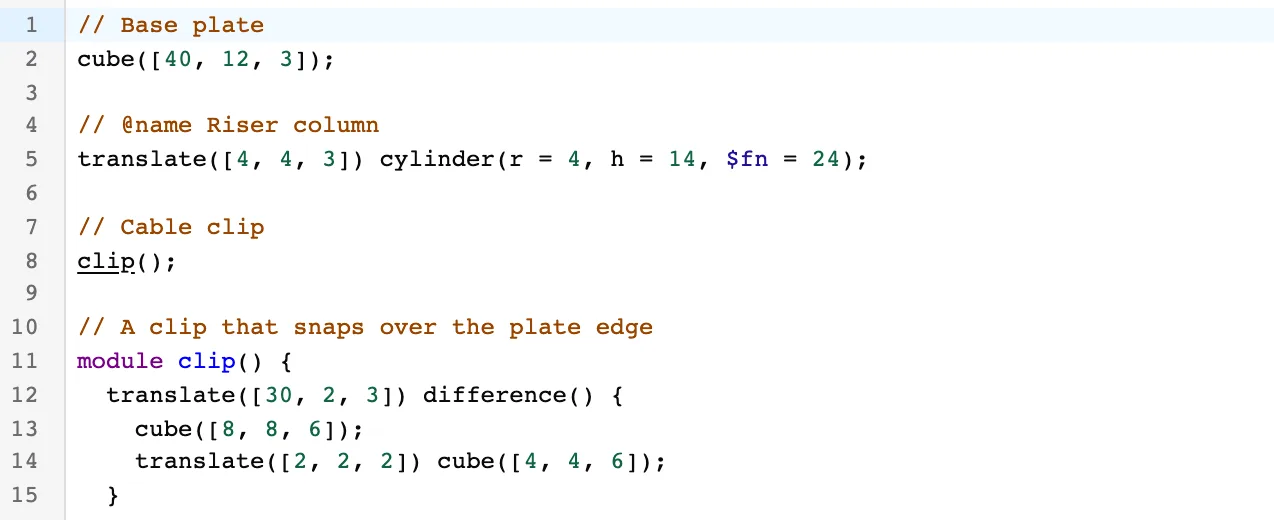
Every module and function in the file resolves, and so do parameters, which is where these scripts keep the numbers you actually want to change. Cmd-click wall_th somewhere deep inside a module and you land on wall_th = 2; at the top.
Two things deliberately do not underline. A word inside a comment or a string is left alone, because clip in // Cable clip is not a use of module clip(). So is the declared name itself: jumping to where the cursor already sits just looks like the click failed.
Finding your way back
Every jump remembers where it came from, whether it started in the editor or from a right-click in the viewer. A button appears in the top corner of the editor to take you back:
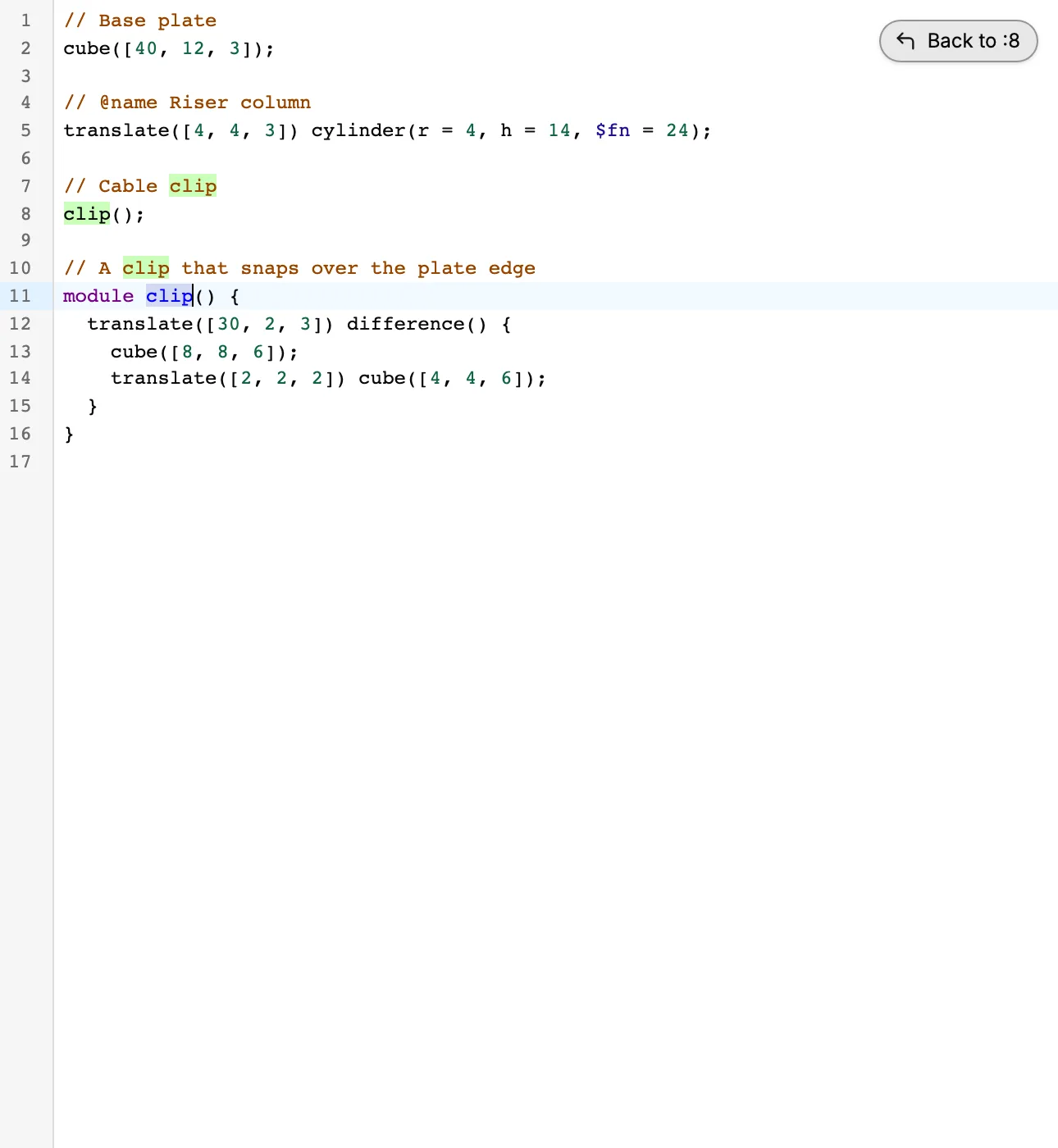
Several jumps in a row stack up, and the button unwinds them one at a time. Ctrl-Alt-Left does the same from the keyboard.
Two jumps in a row, from a call to the module that declares it and from a parameter to the line that sets its value, with the Back button holding both:
Multiple cursors are off
Cmd-click used to place a second cursor. It now means go to definition, and only that.
Fixes
- A jump from the viewer did nothing the first time if you had not opened the code pane yet in that session. You had to click it twice. Now the first one works.
- Jumping while you had unsaved changes selected the wrong lines, off by however much you had typed above the target. Jumps now find the code they are aimed at rather than trusting a position measured against the last rendered revision. If the target has been edited past recognition, nothing is selected instead of something wrong.
- Highlighting the object under the cursor is paused while changes are unsaved, since the text is then ahead of the model on screen.